

Have you ever dreamed of turning your creative ideas into reality with just a click? Welcome to the world of laser cutting!
The best at-home laser cutter machines in 2024 include models like Glowforge Aura, xTool P2, and Glowforge Spark. These machines offer diverse features suitable for both beginners and experienced users, with capabilities ranging from engraving to cutting a variety of materials.
Choosing the right machine can feel overwhelming, but don’t worry! I’ll break down the essential features and considerations you need to make an informed decision.
Glowforge Aura can cut metal materials.False
Glowforge Aura is designed for non-metal materials like wood and acrylic.
What Features Should You Look for in an At-Home Laser Cutter?
Selecting the right at-home laser cutter involves understanding essential features that suit your crafting needs.
When choosing an at-home laser cutter, prioritize features like laser power, material compatibility, safety features, and software integration. These factors determine the machine’s versatility, ease of use, and effectiveness in handling various projects.
Key Features to Consider
Laser Power and Type
The laser power determines the thickness and type of materials you can cut. Entry-level models like the Glowforge Spark1 offer sufficient power for light materials, while advanced options like the xTool P22 handle more robust materials. Typically, higher wattage equals greater cutting capabilities.
Material Compatibility
Consider what materials you want to work with. Some machines are designed for non-metals like wood and acrylics, whereas others, such as the xTool P2, can cut metals too. Ensure the machine supports your desired materials to avoid limitations.
| Material | Glowforge Aura | xTool P2 | Glowforge Spark |
|---|---|---|---|
| Wood | Yes | Yes | Yes |
| Acrylic | Yes | Yes | Yes |
| Metal | No | Yes | No |
Safety Features
Laser cutters can be hazardous if not handled properly. Look for models with protective enclosures, automatic shut-off features, and clear user manuals. The Glowforge Aura3 is renowned for its safety enhancements, making it ideal for home use.
Software Integration
Ease of use is enhanced by intuitive software that integrates well with the laser cutter. Ensure the software is compatible with your operating system and offers features like design import and editing capabilities. Models like the Glowforge Aura often provide user-friendly interfaces suitable for beginners.
Size and Portability
Depending on your workspace, the size of the machine matters. Compact models are beneficial for limited spaces but ensure they don’t compromise on functionality. Additionally, consider portable options if mobility within your workspace is necessary.
Making the Right Choice
Ultimately, your choice should align with your specific needs—be it intricate designs on delicate materials or robust projects on tougher substrates. Consider future-proofing your investment by choosing a versatile machine that accommodates a wide range of projects.
Glowforge Aura supports metal cutting.False
Glowforge Aura does not support metal cutting; xTool P2 does.
Higher wattage equals greater cutting capabilities.True
Higher wattage allows for cutting thicker and more robust materials.
How Do Budget-Friendly Laser Cutters Compare to High-End Models?
When considering a laser cutter, understanding the difference between budget-friendly and high-end models is crucial.
Budget-friendly laser cutters often offer essential features suitable for hobbyists and small projects, while high-end models provide advanced capabilities for professional use, including higher precision, faster cutting speeds, and broader material compatibility.
Performance and Features
Budget-friendly laser cutters, like the Glowforge Spark, typically cater to beginners or those with limited needs. They are designed to handle basic tasks such as cutting and engraving on materials like wood, leather, and plastic. These models often come with lower power ratings and simpler software interfaces, making them easier to use for newcomers.
On the other hand, high-end models such as the xTool P2 offer advanced functionalities. They feature higher wattage lasers capable of cutting through thicker materials like metal, provide 3D engraving capabilities, and include sophisticated cooling systems to maintain performance over extended use periods. Additionally, these models often integrate with professional design software, allowing for more complex project executions.
| Feature | Budget-Friendly Models | High-End Models |
|---|---|---|
| Power Output | Up to 40W | 50W to 150W+ |
| Material Compatibility | Basic materials | Metals and thicker woods |
| Software | Simplified | Advanced integrations |
| Precision | Good for hobby use | High precision |
| Speed | Moderate | Fast |
Cost Considerations
Price is a significant factor that differentiates budget-friendly from high-end laser cutters. Entry-level models are priced to be accessible for most users, often ranging from a few hundred to a couple of thousand dollars. This price point includes machines like the Glowforge Aura4, which is sufficient for simple home crafting tasks.
In contrast, high-end models like the xTool S1 can reach prices upwards of several thousand dollars. These units justify their cost with robust build quality, enhanced features, and longer lifespans. For businesses or serious hobbyists, the initial investment in a high-end model can be offset by its versatility and efficiency.
Usability and User Experience
Budget-friendly models are designed with user-friendliness in mind. They often come with intuitive software and straightforward setup processes, making them ideal for users without technical expertise. For instance, the Glowforge Spark5 is known for its user-friendly operation and community support.
High-end laser cutters require a more technical understanding due to their advanced features. Users might need training to fully utilize their capabilities. However, once mastered, these machines offer a more satisfying experience due to their precision and versatility.
Maintenance and Durability
Maintenance needs also differ significantly between budget and high-end laser cutters. Lower-cost models might require more frequent maintenance checks due to less durable components. This includes regular cleaning of optics and realignment of mirrors.
High-end models are constructed with durability in mind, often featuring higher-quality components that require less frequent intervention. Additionally, they may come with extended warranties or service packages, providing peace of mind for professional users.
Conclusion
Choosing between budget-friendly and high-end laser cutters ultimately depends on your specific needs and budget constraints. For hobbyists or casual users, budget-friendly options provide a great entry point into laser cutting. For professionals or those needing advanced capabilities, investing in a high-end model can offer substantial long-term benefits.
Budget-friendly laser cutters handle metal cutting.False
Budget models lack the power to cut metals, unlike high-end models.
High-end laser cutters offer 3D engraving capabilities.True
High-end models provide advanced features like 3D engraving.
What Materials Can You Cut with At-Home Laser Cutters?
Explore the possibilities of at-home laser cutters by discovering the wide range of materials they can process.
At-home laser cutters can handle a variety of materials, including wood, acrylic, leather, and certain metals. However, the material compatibility depends largely on the type and power of the laser cutter you choose. Always refer to the manufacturer’s guidelines for optimal results.
Cutting Organic Materials
Many at-home laser cutters excel at cutting organic materials like wood and leather. For instance, Glowforge Aura6 can seamlessly cut through plywood, MDF (medium-density fiberboard), and various types of hardwoods. Leather goods can also be customized with intricate designs using these devices. When working with wood, it’s essential to consider the type and thickness, as this affects the cutting speed and precision.
Acrylic and Plastics
Acrylic is another popular choice for laser cutting due to its clean and smooth edges post-cut. Machines such as the xTool P27 are particularly effective at processing acrylic sheets, making them ideal for creating signage or decorative items. However, not all plastics are suitable for laser cutting; PVC, for instance, releases harmful fumes when cut and should be avoided.
| Material | Machine Compatibility |
|---|---|
| Wood | Glowforge Aura |
| Acrylic | xTool P2 |
| Leather | Glowforge Spark |
| Metal | xTool S1 |
Metals and Alloys
Certain high-end home laser cutters can engrave or cut thin metals. The xTool S18 offers capabilities for etching metals like aluminum and stainless steel. For more robust metal cutting tasks, a higher-powered machine is necessary, typically beyond entry-level models.
Glass and Ceramics
While glass cutting is more challenging, some laser cutters can engrave designs onto glass surfaces. This requires precision and often slower speeds to avoid cracking.
Important Considerations
- Laser Power: Higher wattage machines can cut through thicker materials.
- Material Safety: Always ensure the material is safe for laser use; avoid those that emit toxic fumes.
- Cutting Speed and Precision: Different materials require adjustments in cutting speed and power settings for optimal results.
Understanding these aspects will enhance your laser cutting experience at home, enabling you to choose the right machine and material for your projects.
Glowforge Aura can cut plywood and MDF.True
Glowforge Aura is designed to cut through various wood types, including plywood and MDF.
PVC is safe for laser cutting with xTool P2.False
PVC releases harmful fumes when cut with a laser, making it unsafe for use.
Are At-Home Laser Cutters Safe to Use?
With the rise of DIY culture, at-home laser cutters have become more popular. But are they safe?
At-home laser cutters can be safe if used correctly with appropriate safety measures, such as protective eyewear, adequate ventilation, and regular maintenance.
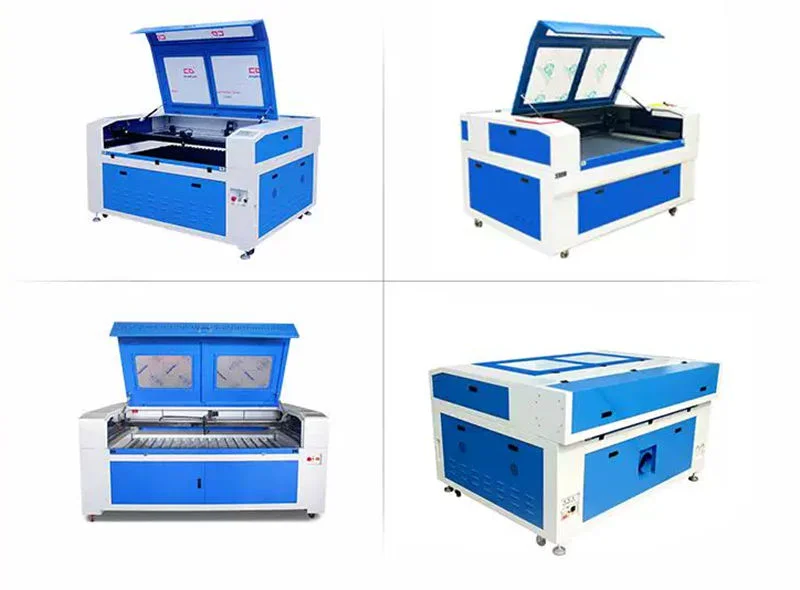
Understanding the Risks Involved
Using an at-home laser cutter involves certain risks, primarily due to the nature of laser technology. The main hazards include laser radiation, which can be harmful to eyes and skin, and the risk of fires due to the intense heat produced during cutting. To mitigate these risks, it is crucial to wear protective eyewear designed for the specific wavelength of your laser cutter. Additionally, ensuring that your workspace is free from flammable materials can help prevent fire hazards.
Essential Safety Measures
Protective Gear: As noted, protective eyewear is non-negotiable when operating a laser cutter. Besides glasses, gloves and masks can provide additional protection against potential material splashes and fumes.
Ventilation: Proper ventilation is critical to dissipate smoke and fumes generated during laser cutting. Ensuring your space has adequate airflow or using an external ventilation system can reduce inhalation risks.
Regular Maintenance: Keeping your laser cutter in optimal condition through regular maintenance reduces malfunction risks. Clean the lenses and filters regularly and check all components for wear and tear.
Evaluating Safety Features in Popular Models
Different models come with varying safety features. For instance, the Glowforge Spark9 has a built-in air filter and auto-shutdown feature if opened during operation, which enhances user safety. In contrast, higher-end models like the xTool P210 offer enclosed designs that minimize exposure to laser beams and include advanced cooling systems to prevent overheating.
Training and Supervision
Operating a laser cutter safely also involves understanding how it works. Many manufacturers provide comprehensive user manuals and online tutorials to help users operate their machines safely. Some even offer training sessions to ensure users are well-versed in handling the equipment. Always supervise children or inexperienced users closely when using a laser cutter at home.
Conclusion: Balancing Creativity with Caution
While at-home laser cutters open up a world of creative possibilities, safety should always be a priority. By understanding the potential risks and taking appropriate safety measures, you can enjoy the benefits of this technology without compromising on safety. For more detailed information on specific model features and safety protocols, consider checking out dedicated forums or user reviews to gain firsthand insights from experienced users.
Laser cutters require protective eyewear.True
Protective eyewear is crucial to prevent eye damage from laser radiation.
At-home laser cutters are safe without ventilation.False
Ventilation is necessary to dissipate fumes and smoke, ensuring safety.
Conclusion
In the end, selecting the right at-home laser cutter is about aligning it with your creative needs and budget. Take your time, explore your options, and soon you’ll be crafting amazing projects!
-
Discover how Glowforge Spark handles various materials efficiently.: Glowforge Spark uses a blue, 6-watt, solid-state diode laser, so it is not compatible with glass, clear acrylic, translucent acrylic, white acrylic, some blue … ↩
-
Learn about xTool P2’s ability to cut metal materials.: xTool P2 is a powerful laser cutter. It cuts very fast. And laser cutting process produces a lot of smoke and smell. The xTool P2 allows you to vent this smoke … ↩
-
Explore safety enhancements in Glowforge Aura for home use.: The Glowforge unit has a case and glass lid which block harmful levels of infrared and ultraviolet light to allow you to operate the laser safely. CAUTION! Use … ↩
-
Discover why Glowforge Aura is ideal for home crafting.: The Glowforge Aura is the most accessible craft laser we’ve tested and requires only a fraction of the money or space that larger models … ↩
-
Find out why users recommend Glowforge Spark for beginners.: It’s an incredibly slow diode. A smaller compact version of the Aura. If you look up all the reviews on the Aura, it’s an incredibly slow diode laser. ↩
-
Discover how Glowforge Aura excels in cutting various types of wood.: Cutting area approx: 144 in sq. Glowforge Aura can cut materials up to 1/4" thick, and engrave materials up to 3/4" thick with the cutting tray removed. ↩
-
Learn about xTool P2’s proficiency with acrylic materials.: The optical power is 55W. It can cut acrylic up to 20mm thick in only one pass. Moreover, xTool P2 cuts 500% faster than 40w diode laser machines. Whether it’s … ↩
-
Explore xTool S1’s capabilities in metal engraving.: In this comprehensive guide, we will explore metal laser engraving in detail, and uncover the types of lasers and metals suited for laser … ↩
-
Discover Glowforge Spark’s built-in safety features for secure usage.: SAFETY · Safety sensors alert in case of bumps or unplanned movement, over temperature conditions or fan performance changes · Certified to UL standards … ↩
-
Explore xTool P2’s comprehensive safety enhancements for peace of mind.: Safety Precautions for the xTool P2 The xTool P2 is a Class 4 laser that can damage your eyes and burn skin. It also produces smoke and fumes … ↩